Claude Opus 5.5, ChatGPT Model Changes, and Free Usage Resets Explained
Key takeaways
Claude Opus 5.5 has launched with a free reset offer for subscribers. Here is how Claude resets compare with ChatGPT banked, automatic, and paid resets, and why model retirements matter.
Anthropic has released Claude Opus 5.5, and the launch says something important about where AI platforms are going. Power users are no longer comparing Claude and ChatGPT only by benchmark scores. They are also comparing access: weekly limits, five-hour windows, saved resets, paid resets, and what happens when a model changes in the middle of real work.
For developers, researchers, writers, founders, and business teams, the practical question is no longer just “Which model is smarter?” It is also “Which platform lets me keep working when the model becomes useful enough to depend on?”

What Claude Opus 5.5 Changes
Anthropic describes Claude Opus 5.5 as a new Opus-class model for demanding work such as coding, reasoning, research, and long-form tasks. The release is notable because Anthropic says Opus 5.5 performs near Claude Fable 5.1 on many tasks while costing less to run than the previous Opus generation.
That matters because Opus models have often been treated as the premium option: careful, deliberate, and suited for work where quality matters more than speed. If Opus 5.5 can deliver high-end capability at a lower operating cost, Anthropic may have more room to make its best models available without every heavy session feeling scarce.
Anthropic also says subscription users are receiving a rate-limit reset that can be saved and used when they choose. That is different from a forced automatic refill. A saved reset lets the user decide when it is most valuable: before a long coding session, after hitting a weekly wall, or when testing the new model seriously.
What the Free Claude Reset Means
Claude’s reset help explains the basic pattern: when a reset is available, users can apply it from Claude web or desktop usage settings. The reset refreshes the eligible Claude usage limits across the account, so it can also help connected Claude surfaces such as mobile or Claude Code.
The important detail is that a free reset is not the same as a permanent plan upgrade, API credit, or transferable cash balance. It is a usage benefit. It may expire, it may apply only to specific limits, and it may affect the next normal reset time. Before clicking a reset button, users should check what it resets, when it expires, and whether waiting would be smarter if the normal weekly reset is close.
ChatGPT Has Its Own Reset Vocabulary
OpenAI’s reset system is more segmented because ChatGPT now includes experiences such as ChatGPT Work and Codex. In OpenAI’s banked reset documentation, a banked reset is a one-time usage-limit reset saved to an eligible account until the user applies it or it expires. It is not purchased credit and does not permanently increase the plan’s limit.
OpenAI also distinguishes banked resets from automatic or global resets. A banked reset is stored and manually applied. An automatic reset is applied directly to eligible usage limits and does not appear as a saved reset. That distinction matters because users can choose the timing of a banked reset, but not always the timing of an automatic one.
OpenAI also documents paid instant resets for eligible Plus and Pro personal accounts in some regions. A paid reset refreshes supported Work and Codex allowances immediately after checkout, but it is not banked for later and can change the next weekly reset schedule.
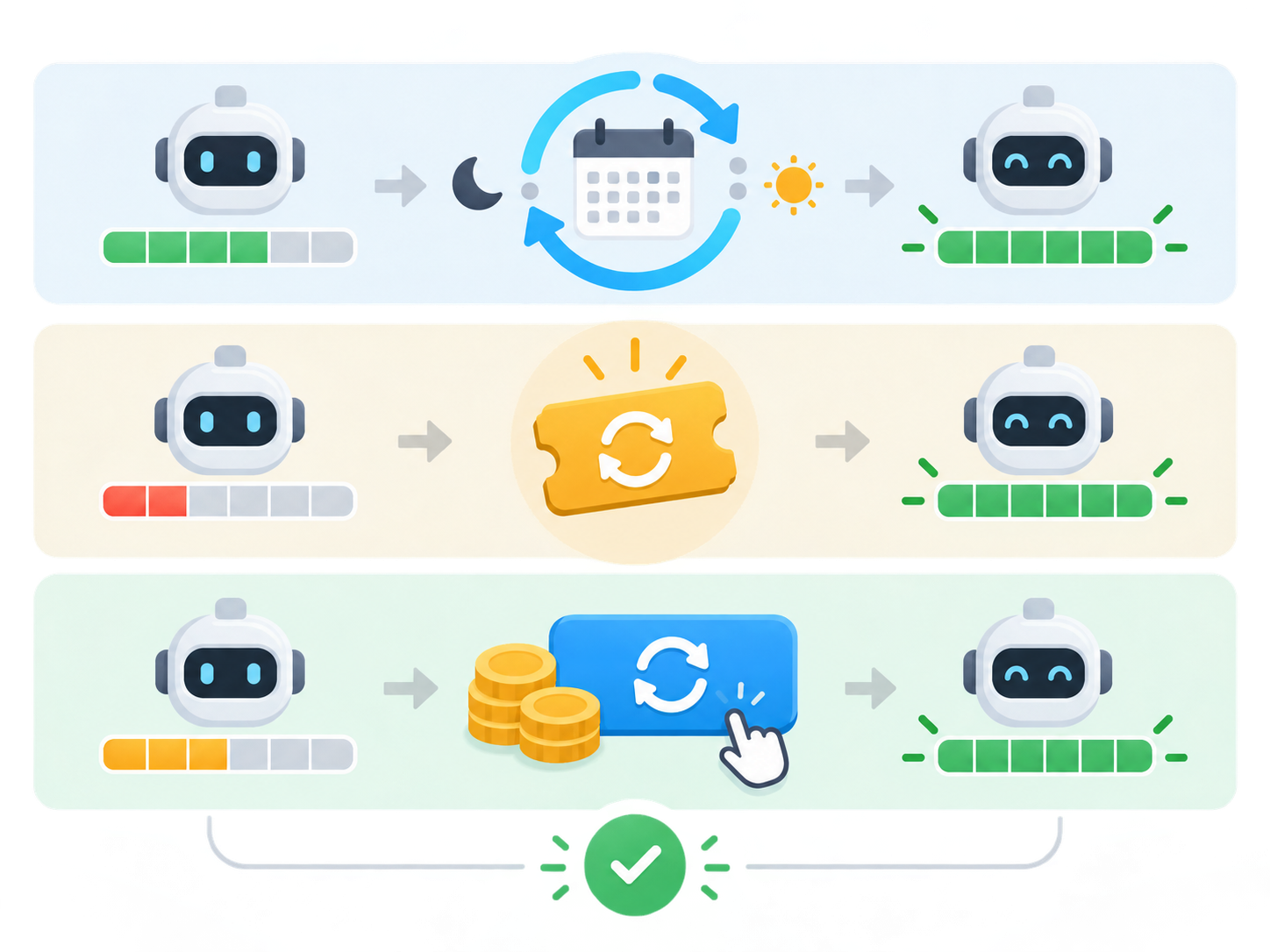
Banked, Automatic, Paid: The Simple Version
| Reset type | What it means | What to watch |
|---|---|---|
| Banked reset | A saved one-time reset the user can apply later. | Expiration date, eligible limits, and whether it changes the weekly reset schedule. |
| Automatic reset | A reset applied directly by the platform. | Usually cannot be saved or timed by the user. |
| Paid instant reset | A paid option that refreshes eligible usage immediately. | It applies right away and may pull the next weekly period forward. |
| Usage credits | A separate balance used after included limits in supported experiences. | Credits are not the same thing as a reset. |
Is GPT-5.5 Retiring?
This is where careful wording matters. OpenAI’s public model release notes show that ChatGPT models do retire over time, especially after successor models ship. The official material reviewed for this article confirms several older ChatGPT and Codex model transitions, including GPT-5.2 models no longer being available in ChatGPT and GPT-5.4-era replacements in Codex guidance.
However, the official sources reviewed here still describe GPT-5.5 as available in ChatGPT. So the responsible conclusion is: do not treat “GPT-5.5 is retiring” as confirmed unless OpenAI publishes a direct retirement notice. A more accurate takeaway is that ChatGPT’s model lineup is moving quickly, and users should watch release notes for replacement or retirement dates.
Why Model Retirement Matters
Model retirement is not just a product announcement. It affects real workflows. If a team builds prompts, automations, customer support flows, coding workflows, or documentation habits around a specific model, a replacement can change output style, tool behavior, cost, latency, or reliability.
The risk is not that a newer model is automatically worse. The risk is that model behavior changes in small ways that matter: code formatting, reasoning verbosity, refusal style, translation tone, citation habits, or how aggressively an agent edits files. Teams using AI in production workflows should track which models they depend on, test important prompts after major releases, and avoid assuming one model’s behavior will remain stable forever.
Claude vs ChatGPT: Different Reset Philosophies
Claude’s Opus 5.5 reset feels like a launch gesture: here is extra room to explore the new model. It is visible, time-bound, and directly tied to the release.
ChatGPT’s reset system feels more like an emerging usage-management layer. OpenAI has banked resets for specific offers, automatic resets around some announcements, paid resets for eligible users, and shared allowances across experiences such as Work and Codex.
For power users, the lesson is the same on both platforms: timing matters. A saved reset can be valuable if used before a major project, but less valuable if a normal weekly reset is only hours away. A paid reset can be useful, but it is not the same as buying permanent extra capacity.
Practical Advice Before Using a Free Reset
- Check the normal reset time first. If your weekly reset is close, saving a banked reset may be smarter.
- Check the expiration date. A promotional reset can disappear if you wait too long.
- Plan a high-value session. Use resets for serious work: coding migrations, deep research, model comparisons, long writing sessions, or data analysis.
- Do not confuse resets with credits. A reset refreshes an allowance. It is usually not API credit or a transferable balance.
- Track model changes. When a model changes, rerun important prompts and workflows before assuming everything behaves the same.
What This Means for AI Power Users
AI subscriptions are becoming less like unlimited software seats and more like managed access to expensive compute. The best models are powerful, but access is shaped by time windows, model tiers, usage meters, and promotional resets.
That can be frustrating, but it also gives careful users more control. A banked reset can be more useful than a vague higher limit if it lets the user choose the exact moment to refresh. A clear usage dashboard can be more valuable than a hidden cap. A clear retirement notice can prevent teams from discovering model changes only after a workflow breaks.
Final Thoughts
Claude Opus 5.5 is not only another model release. It is a reminder that AI platforms are evolving around both capability and access. Anthropic is giving subscribers more room to test the new Opus model. OpenAI is building a more complex reset system around ChatGPT Work and Codex. Both companies are moving through model generations quickly enough that serious users need to watch release notes as closely as benchmarks.
The smartest approach is simple: treat AI models as changing infrastructure. Track the model you are using, save resets for meaningful work, verify retirement notices before changing workflows, and test new models with real tasks rather than hype.
Need Help Building Reliable AI Workflows?
IT Support in Tokyo helps businesses plan AI adoption, build AI-enabled web apps, set up safe development workflows, and choose the right model strategy for real operations. Contact our bilingual team to discuss your AI project.