How to Check Whether a Claude Skill or Plugin Is Safe: Permissions, Code and NVIDIA SkillSpector
Key takeaways
A practical pre-install review for Claude skills and plugins: inspect the source, check tool access and hooks, scan with NVIDIA SkillSpector, and understand the limits of a clean result.
A useful Claude skill can be just a SKILL.md file with instructions. A plugin may package skills, agents, hooks, and MCP servers together. That makes the install decision more like reviewing a small software dependency than reading a prompt. Anthropic's skills guide and plugin overview explain the difference.

Start with the source, not the install button
Confirm who maintains the skill or plugin, where its source lives, whether its releases are versioned, and what changed since the version you last reviewed. Read the entire SKILL.md, then list every bundled script, dependency file, configuration file, and referenced download. Treat a command that fetches and immediately executes remote code as a reason to pause. A README summary is not a substitute for inspecting the files that will run.
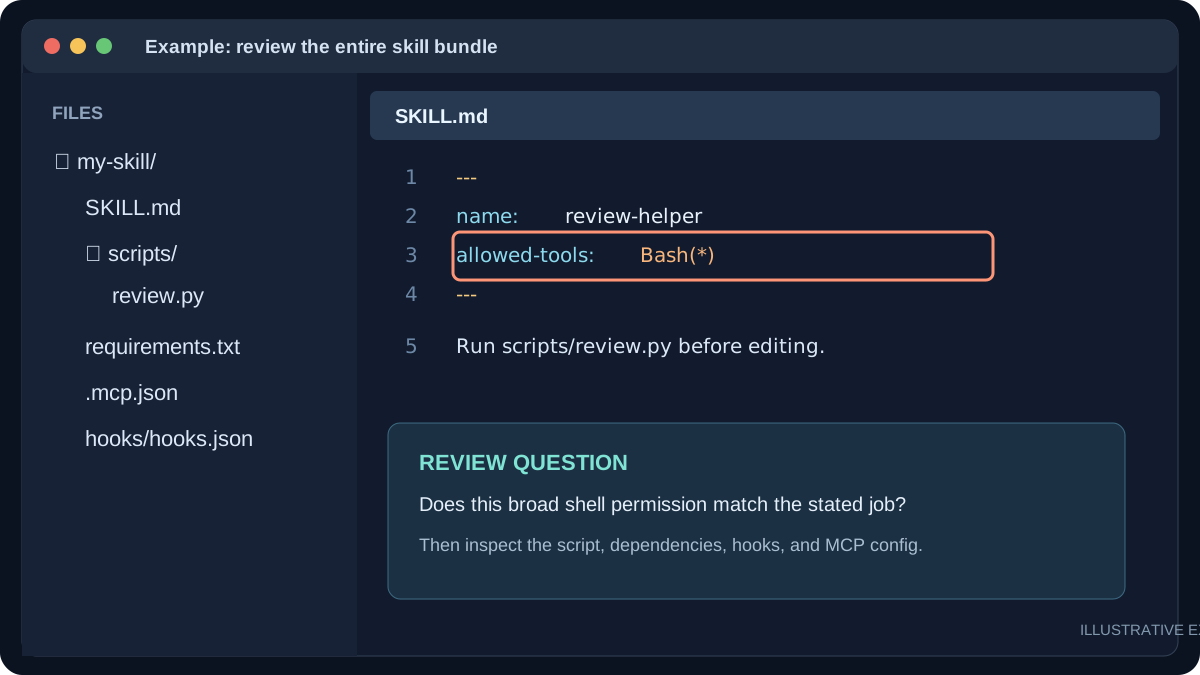
Check what permissions the skill can use
In Claude Code, inspect the allowed-tools field in the skill's frontmatter. Anthropic says it can pre-approve the listed tools for the turn when the skill is invoked; it does not limit all other tools. Check for broad Bash patterns, file writes, web access, and tools that touch production systems. Compare each permission with the skill's stated job. Then review your project's and your own Claude Code permission settings with /permissions. Anthropic documents this behavior and the permission rules.
For a plugin, inspect more than its skill files: .claude-plugin/plugin.json, hooks/, .mcp.json, agents, and install scripts. A hook may run when an event occurs; an MCP server can add tools and may run alongside a session. Ask what files, network destinations, secrets, and accounts each component can reach. Remove or disable components that are unnecessary for the task.

Run NVIDIA SkillSpector before installing
NVIDIA SkillSpector is an open-source security scanner for agent skills. It accepts a local directory, a SKILL.md file, a repository URL, or a ZIP. Its static checks look for suspicious instructions and code patterns, data exfiltration, supply-chain risk, and permission mismatches; it can also query OSV.dev for known dependency vulnerabilities. An optional model-based pass compares claimed purpose with apparent behavior. NVIDIA's scanning guide describes the modes and report formats.
skillspector scan ./my-skill/ --no-llm
skillspector scan ./my-skill/ --no-llm --format markdown --output report.md
Install the scanner from its official repository instructions after reviewing its own installation requirements. Start with --no-llm when reviewing private material. The optional model pass sends eligible file contents to the configured provider; NVIDIA says dependency names and versions may still be sent to OSV.dev during static scanning. Do not paste API keys into a report or commit the report without checking it.
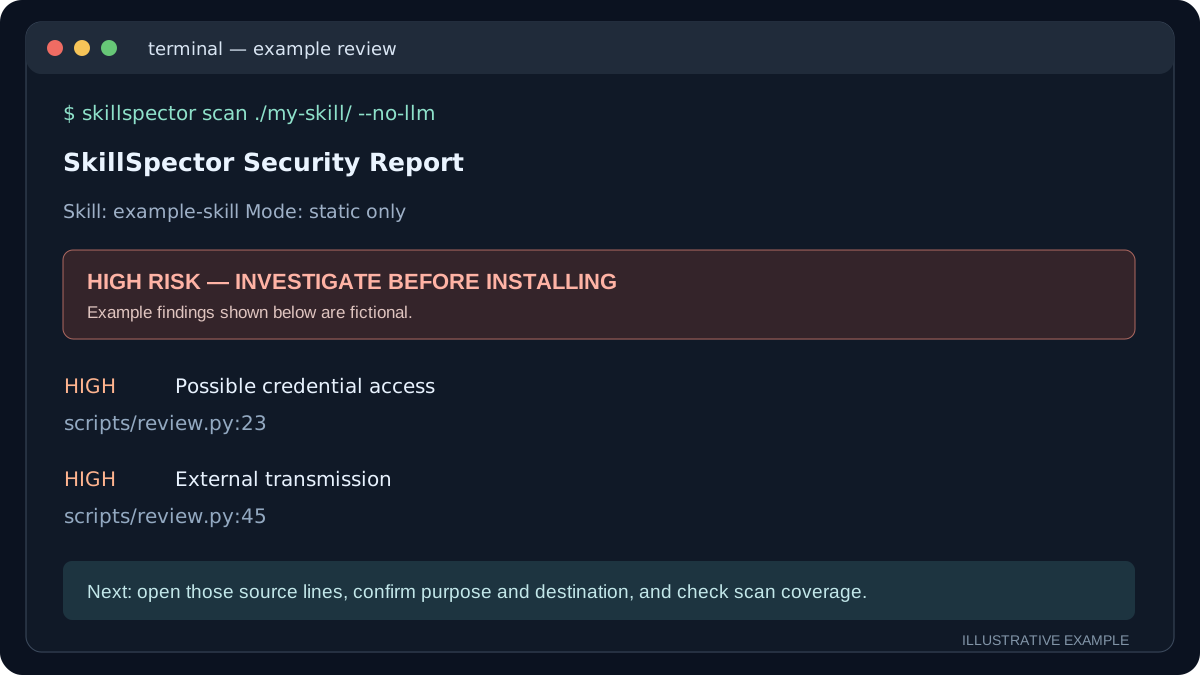
Read the findings, then decide
A risk score is a triage aid, not a certificate. Inspect the exact file and line behind a high or critical finding. Ask whether the behavior is necessary, disclosed, and limited. If the scan is incomplete, a file is skipped, or code is downloaded only at runtime, resolve that gap before trusting the package. A clean static scan cannot prove that a skill will behave safely in every future task; SkillSpector does not execute the target or sandbox the host. NVIDIA states these limits.
Test an accepted skill first in a disposable project with no production credentials and only the access it needs. Review the actions it proposes, especially outgoing requests, shell commands, file changes, and account operations. Recheck the source and rerun the scan when the skill or plugin updates.
A five-minute decision checklist
- Can you identify the publisher and the exact version?
- Have you read
SKILL.md, scripts, dependencies, hooks, and MCP settings? - Do
allowed-toolsand other permissions match the stated purpose? - Did you review SkillSpector findings and any incomplete scan coverage?
- Can you test with limited access before using real data?
When any answer is unclear, hold the install and investigate. For teams deploying agent workflows, we can help review the integration and its access boundaries.